For information on the latest version, please have a look at GL013304.
6.1.1 Virtual Mode
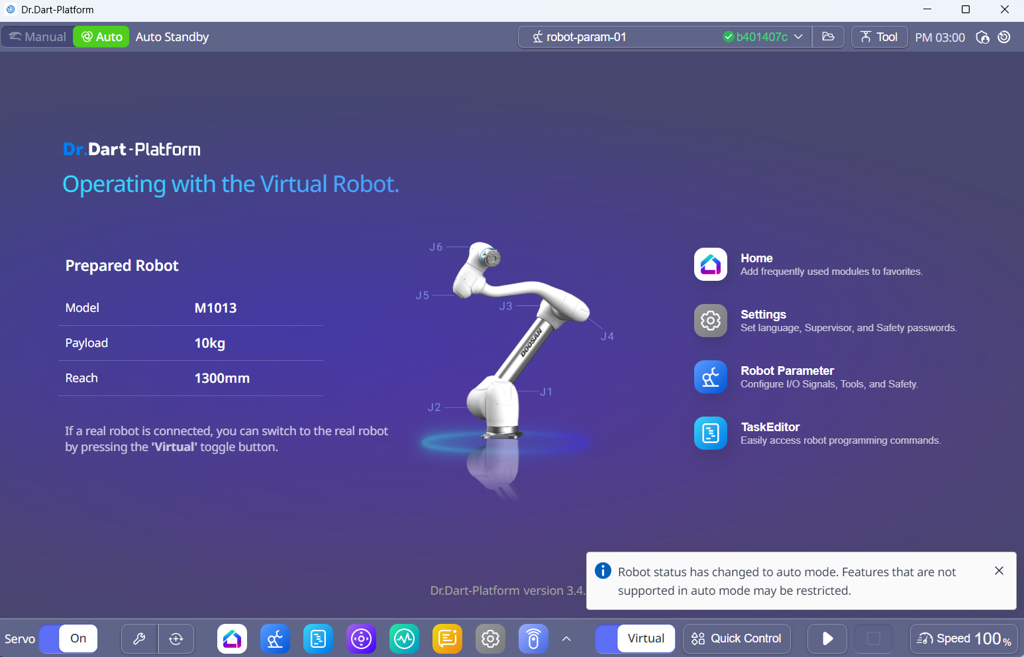
Overview
Virtual Mode provides a full software simulation of the Doosan Robot Controller (DRCF) without requiring any physical robot hardware. It is mainly used for development, testing, and debugging, and allows users to execute motion and DRL commands under the same API used in real operation.
This mode is ideal for:
Verifying API sequences or program logic before deployment.
Testing motion or DRL scripts safely without hardware risk.
Performing ROS2 or network integration using the virtual controller.
All motion, I/O, and safety states are logically simulated the controller computes robot kinematics internally, but no real torque, current, or feedback is applied.
Key Features
Same API and Protocols: Uses the same TCP/UDP communication stack as a real robot.
Software-based Motion: Executes movej, movel, and DRL commands in simulation only.
DRL Compatibility: DRL scripts can be run, paused, or stopped normally.
No Servo or Safety Circuit: Safety states and servo control are simulated logically.
Monitoring Support: All monitoring callbacks deliver data identical in structure to real mode.
Notes & Cautions
No Physical Feedback: Force/torque and compliance APIs return simulated data only.
No Hardware I/O: Digital/Analog IO and Modbus signals are not sent to real devices.
Simulation Use Only: Not suitable for calibration or force-control operations.
RT Control Not Supported: Real-Time (RT) control is not available in Virtual Mode.