For information on the latest version, please have a look at GL013304.
1.2.3 Linking Library
Linux Library
A file that has a .conf extension (e.g., DRFLib.conf) is generated in the /etc/ld.so.conf.d/ directory and the .so file path is added in the file and the corresponding library is set by executing the ldconfig command.
The following example describes how to register and link the DRFL library in a Linux environment. Actual installation paths may vary depending on the user’s workspace and Linux distribution.
Note
The library installation path may differ depending on your workspace or system configuration.
When creating the .conf file, specify the actual directory path where the DRFL and Poco libraries are located.
 1## 1. Verify the library path
 2# Make sure the directory contains libDRFL, libPocoFoundation.so, and libPocoNet.so.
 3ls /home/<user>/API-DRFL/library/Linux/64bits/amd64/{your_ubuntu_version}
 4
 5## 2. Add a .conf file under /etc/ld.so.conf.d/
 6# Replace the path below with your actual library directory.
 7sudo nano /etc/ld.so.conf.d/drfl.conf
 8# Add the following single line to the file, then save and exit:
 9/home/<user>/API-DRFL/library/Linux/64bits/amd64/{your_ubuntu_version}
10
11## 3. Register the library
12sudo ldconfig
13
14## 4. Verify registration
15ldconfig -p | grep DRFL
16
17## 5. Build a sample C++ file
18# Specify the proper include and library directories.
19g++ test.cpp -o test \
20  -I/home/<user>/API-DRFL/include \
21  -L/home/<user>/API-DRFL/library/Linux/64bits/amd64/{your_ubuntu_version} \
22  -lDRFL -lpthread
Windows Library
The Windows library may not operate normally unless the Microsoft Visual C++ 2010 (x86) redistributable package is installed.
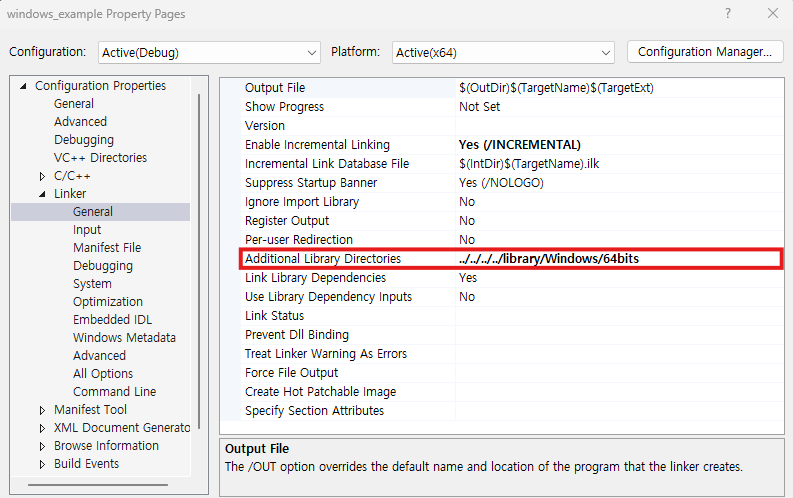
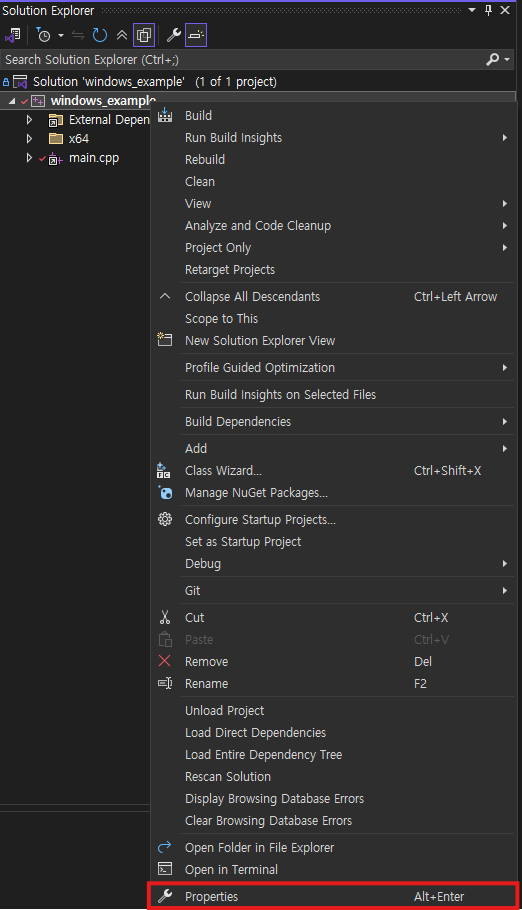
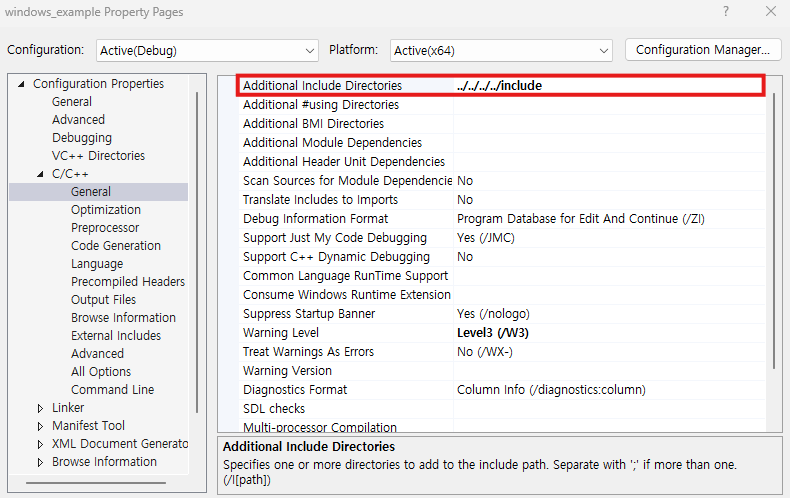
The project setting to use this API in the C++ project is as follows.
Setting of header file (include)
[Configuration Properties]->[C/C++]->[General]->[Additional Include Directories]
Setting of library (lib) path
[Configuration Properties]->[Linker]->[General]->[Additional Library Directories]