For information on the latest version, please have a look at 1.33.5.
6.6.6 realtime_control_sample.cpp
This example (6_realtime_control_sample.cpp) demonstrates the minimal procedure required
to execute real-time (RT) control of the robot using:
1 ms high-frequency servo commands (
servoj_rt),quintic trajectory generation (5th order polynomial),
real-time thread scheduling (Linux/Pthread or Xenomai),
and safety-aware RT mode activation.
Caution
Realtime monitoring and control are supported only on a real robot system. This sample must be executed with a real controller IP.
Only one Real-Time UDP client is allowed at a time. If another application is already connected to the real-time UDP port, the robot will reject the new RT connection.
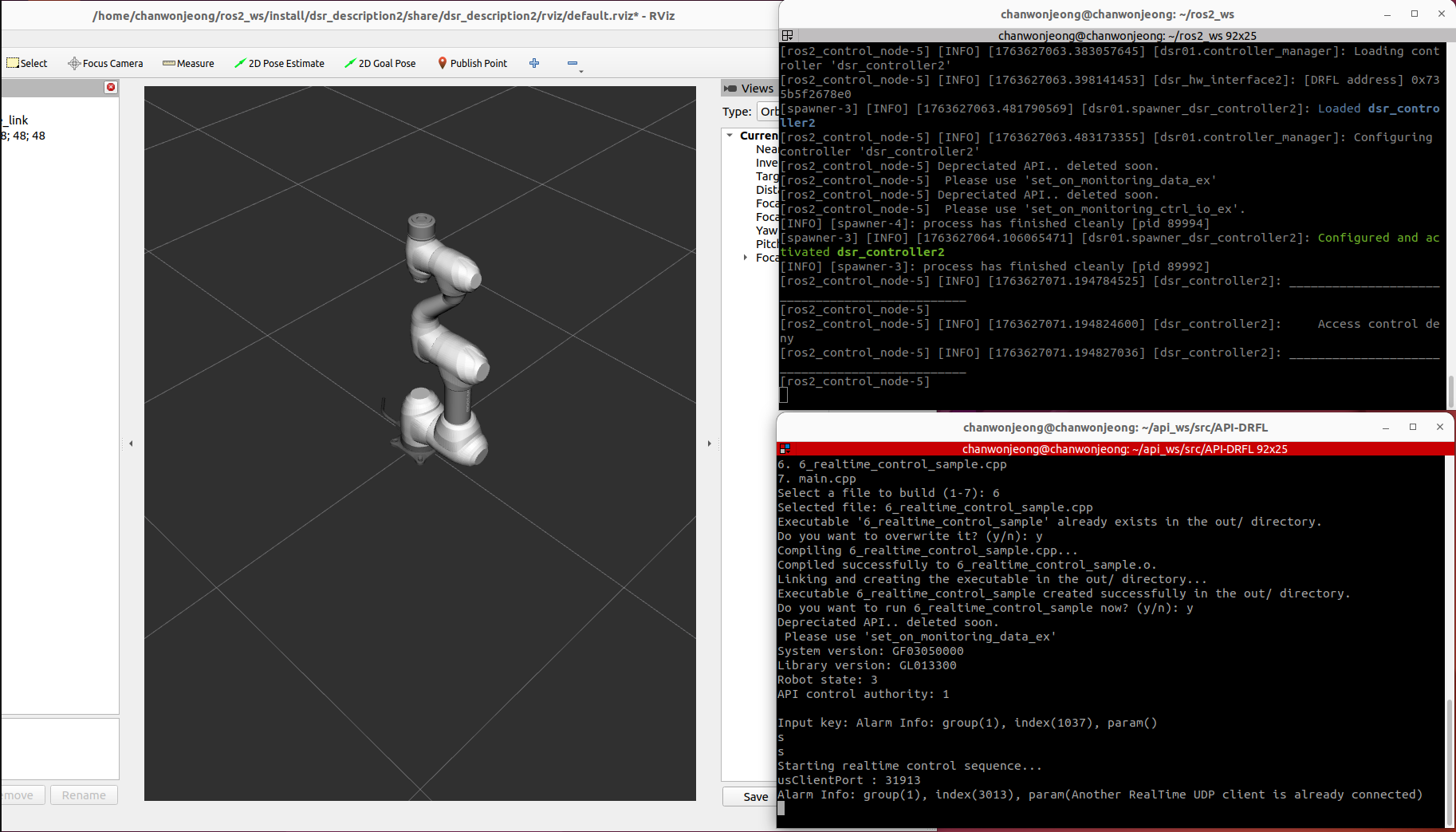
This example is located in the following path:
API-DRFL/example/Linux_64/6_realtime_control_sample.cpp
See the example on the Doosan Robotics API-DRFL GitHub.
Watch the full walk-through on the Doosan Robotics Official YouTube.
Caution
This video is provided to help better understand the tutorial.
Please note that when performing the actual tutorial, real-time control is not supported in simulator mode and can only be executed on a real robot.
Watch the real robot run on the Doosan Robotics Official YouTube.
Setup & Global Variables
The example defines a global DRFLEx controller instance along with several flags used to track:
control authority (GRANT), TP initialization status, Stop/Pause/Resume command states and internal RT trajectory parameters.
// ============================================================================
// Global Variables
// ============================================================================
CDRFLEx Drfl;
bool g_bHasControlAuthority = false;
bool g_TpInitailizingComplted = false;
bool g_mStat = false;
bool g_Stop = false;
bool moving = false;
bool bAlterFlag = false;
float k_ratio = 1.5;

string strDrl =
    "\r\n\
loop = 0\r\n\
while loop < 1003:\r\n\
 movej(posj(10,10.10,10,10.10), vel=60, acc=60)\r\n\
 movej(posj(00,00.00,00,00.00), vel=60, acc=60)\r\n\
 loop+=1\r\n";
Additionally, the example declares structures for quintic trajectory planning.
struct PlanParam {
    float time;
    float ps[6], vs[6], as[6];
    float pf[6], vf[6], af[6];
    float A0[6], A1[6], A2[6], A3[6], A4[6], A5[6];
};

struct TraParam {
    float time;
    float pos[6], vel[6], acc[6];
};
They store start/end boundary conditions and the polynomial coefficients that define smooth RT motion.
Callback Registration
Before opening the controller connection, the example registers all required callbacks.
// Set up callbacks
Drfl.set_on_homming_completed(OnHommingCompleted);
Drfl.set_on_monitoring_data(OnMonitoringDataCB);
Drfl.set_on_monitoring_data_ex(OnMonitoringDataExCB);
Drfl.set_on_monitoring_ctrl_io_ex(OnMonitoringCtrlIOExCB);
Drfl.set_on_monitoring_access_control(OnMonitroingAccessControlCB);
Drfl.set_on_tp_initializing_completed(OnTpInitializingCompleted);
Drfl.set_on_log_alarm(OnLogAlarm);
Drfl.set_on_tp_popup(OnTpPopup);
Drfl.set_on_tp_log(OnTpLog);
Drfl.set_on_tp_progress(OnTpProgress);
Drfl.set_on_tp_get_user_input(OnTpGetuserInput);
Drfl.set_on_rt_monitoring_data(OnRTMonitoringData);
Drfl.set_on_program_stopped(OnProgramStopped);
Drfl.set_on_disconnected(OnDisConnected);
Access Control Monitoring
void OnMonitroingAccessControlCB(const MONITORING_ACCESS_CONTROL eTrasnsitControl) {
    switch (eTrasnsitControl) {
        case MONITORING_ACCESS_CONTROL_REQUEST:
            assert(Drfl.ManageAccessControl(MANAGE_ACCESS_CONTROL_RESPONSE_NO));
            break;
        case MONITORING_ACCESS_CONTROL_GRANT:
            g_bHasControlAuthority = true;
            break;
        case MONITORING_ACCESS_CONTROL_DENY:
        case MONITORING_ACCESS_CONTROL_LOSS:
            g_bHasControlAuthority = false;
            if (g_TpInitailizingComplted) {
                Drfl.ManageAccessControl(MANAGE_ACCESS_CONTROL_FORCE_REQUEST);
            }
            break;
        default:
            break;
    }
}
This callback updates GRANT/LOSS state when authority changes. It answers a control request from another client with MANAGE_ACCESS_CONTROL_RESPONSE_NO, and requests control authority again after a DENY or LOSS once the TP has finished initializing.
ManageAccessControl returns as soon as the request is sent, so it can be called inside the callback (see Rules for callback functions).
TP Initialization → Force Access Request
void OnTpInitializingCompleted() {
    g_TpInitailizingComplted = true;
    Drfl.ManageAccessControl(MANAGE_ACCESS_CONTROL_FORCE_REQUEST);
}
When the TP initializes, the program automatically sends a forced access request.
Connection & Version Information
After callback registration, the controller connection is opened:
// Connect to robot
assert(Drfl.open_connection("192.168.137.100"));

SYSTEM_VERSION tSysVerion = {'\0'};
Drfl.get_system_version(&tSysVerion);
assert(Drfl.setup_monitoring_version(1));

cout << "System version: " << tSysVerion._szController << endl;
cout << "Library version: " << Drfl.get_library_version() << endl;
The sample undefines NDEBUG before including assert.h, so the calls inside assert() run in every build and the program aborts if one of them returns false.
Console example:
System version: GF03050000
Library version: GL013300
Robot Mode Configuration
Real-time control requires: AUTONOMOUS mode, REAL system, AUTONOMOUS safety mode.
assert(Drfl.set_robot_mode(ROBOT_MODE_AUTONOMOUS));
assert(Drfl.set_robot_system(ROBOT_SYSTEM_REAL));
RT Session Activation
When the user presses s in the main loop, the program starts the entire real-time control sequence at once. It connects the RT channel to the default address of connect_rt_control, configures RT output parameters, switches the robot to AUTONOMOUS + AUTONOMOUS safety mode, starts RT control, and finally uses pthread_create to run realtime_task with high priority.
(connection → RT output configuration → RT start → realtime_task start)
case 's': {
// Start realtime control sequence (combines cases 1,2,3,4)
cout << "Starting realtime control sequence..." << endl;
// Step 1: Connect RT control
Drfl.connect_rt_control();
cout << "RT control connected" << endl;
// Step 2: Set RT control output
string version = "v1.0";
float period = 0.001;
int losscount = 4;
Drfl.set_rt_control_output(version, period, losscount);
cout << "RT control output configured" << endl;
std::this_thread::sleep_for(std::chrono::microseconds(1000));
// Step 3: Set robot mode and start RT control
Drfl.set_robot_mode(ROBOT_MODE_AUTONOMOUS);
Drfl.set_safety_mode(SAFETY_MODE_AUTONOMOUS, SAFETY_MODE_EVENT_MOVE);
Drfl.start_rt_control();
cout << "RT control started" << endl;
std::this_thread::sleep_for(std::chrono::microseconds(1000));
// Step 4: Create realtime thread
pthread_t rt_thread;
pthread_attr_t attr;
struct sched_param param;
pthread_attr_init(&attr);
pthread_attr_setinheritsched(&attr, PTHREAD_EXPLICIT_SCHED);
pthread_attr_setschedpolicy(&attr, SCHED_FIFO);
param.sched_priority = 99;
pthread_attr_setschedparam(&attr, ¶m);
int v = pthread_create(&rt_thread, &attr, realtime_task, nullptr);
if (v != 0) {
perror("Failed to create real-time thread");
std::cout << "Error: " << v << std::endl;
return 1;
}
cout << "Realtime thread created successfully" << endl;
break;
}
Open the real-time channel using connect_rt_control.
Configure RT parameters (1 ms cycle time) using set_rt_control_output.
Switch the robot to ROBOT_MODE_AUTONOMOUS and SAFETY_MODE_AUTONOMOUS, then start the RT session with start_rt_control.
Configure the SCHED_FIFO scheduling policy with priority 99 and start
realtime_task, which sends servoj_rt commands every 1 ms.
Note
SCHED_FIFO with priority 99 requires root or the CAP_SYS_NICE capability.
Console example:
Starting realtime control sequence...
RT control connected
RT control output configured
RT control started
Realtime thread created successfully
Stop / Pause / Resume
ThreadFunc listens for keyboard input and sends Stop / Pause / Resume commands to the controller. The sample starts ThreadFunc only when it is compiled with __XENO__, through rt_task_spawn.
int linux_kbhit(void) {
    struct termios oldt, newt;
    int ch;
    tcgetattr(STDIN_FILENO, &oldt);
    newt = oldt;
    newt.c_lflag &= ~(ICANON | ECHO);
    tcsetattr(STDIN_FILENO, TCSANOW, &newt);
    ch = getchar();
    tcsetattr(STDIN_FILENO, TCSANOW, &oldt);
    return ch;
}
// ...
uint32_t ThreadFunc(void* arg) {
    printf("Start ThreadFunc\n");

    while (true) {
        if (linux_kbhit()) {
            char ch = getch();
            switch (ch) {
                case 's':
                    printf("Stop!\n");
                    g_Stop = true;
                    Drfl.MoveStop(STOP_TYPE_SLOW);
                    break;
                case 'p':
                    printf("Pause!\n");
                    Drfl.MovePause();
                    break;
                case 'r':
                    printf("Resume!\n");
                    Drfl.MoveResume();
                    break;
            }
        }
        std::this_thread::sleep_for(std::chrono::milliseconds(100));
    }

    return 0;
}
#ifdef __XENO__
    RT_TASK sub_task;
    char sub_task_name[256] = {'\0'};
    sprintf(sub_task_name, "drfl_sub_t");
    uint32_t stack_size = 1024 * 64;
    uint32_t prio = 50;
    if (rt_task_spawn(&sub_task, sub_task_name, stack_size, prio,
                      T_CPU(3) | T_JOINABLE,
                      (void (*)(void*)) & ThreadFunc, nullptr) != 0) {
        cout << "Cannot create sub task" << endl;
    }
#endif
In a __XENO__ build, this allows the user to manually override robot motion during real-time execution (slow stop, pause, resume).
Quintic Trajectory Planning
Before entering the RT loop, the sample prepares two trajectories:
home → target_pose and target_pose → home
TrajectoryPlan computes A0~A5 polynomial coefficients:
float posj_s[6] = {0, 0, 0, 0, 0, 0};
float posj_f[6] = {30, 30, 60, -30, -90, 30};
// ...
float target_time = 8.0;
// ...
float vs[6] = {0, 0, 0, 0, 0, 0};
float vf[6] = {0, 0, 0, 0, 0, 0};
float as[6] = {0, 0, 0, 0, 0, 0};
float af[6] = {0, 0, 0, 0, 0, 0};
// ...
TraParam tra1, tra2;
PlanParam plan1, plan2;

plan1.time = target_time;
plan2.time = target_time;

memcpy(plan1.ps, posj_s, NUMBER_OF_JOINT * sizeof(float));
memcpy(plan1.pf, posj_f, NUMBER_OF_JOINT * sizeof(float));
memcpy(plan2.ps, posj_f, NUMBER_OF_JOINT * sizeof(float));
memcpy(plan2.pf, posj_s, NUMBER_OF_JOINT * sizeof(float));

memcpy(plan1.vs, vs, NUMBER_OF_JOINT * sizeof(float));
memcpy(plan1.vf, vf, NUMBER_OF_JOINT * sizeof(float));
memcpy(plan1.as, as, NUMBER_OF_JOINT * sizeof(float));
memcpy(plan1.af, af, NUMBER_OF_JOINT * sizeof(float));
memcpy(plan2.vs, vs, NUMBER_OF_JOINT * sizeof(float));
memcpy(plan2.vf, vf, NUMBER_OF_JOINT * sizeof(float));
memcpy(plan2.as, as, NUMBER_OF_JOINT * sizeof(float));
memcpy(plan2.af, af, NUMBER_OF_JOINT * sizeof(float));

TrajectoryPlan(&plan1);
TrajectoryPlan(&plan2);
These coefficients allow generating smooth 5th-order position/velocity/acceleration profiles.
Realtime RT Loop
The core logic of the real-time control example is implemented inside the realtime_task() function, which runs with SCHED_FIFO priority 99.
Initialization: home position & safety mode
// Initialize positions
float home[6] = {0, 0, 0, 0, 0, 0};
float posj_s[6] = {0, 0, 0, 0, 0, 0};
float posj_f[6] = {30, 30, 60, -30, -90, 30};
const float None = -10000;

// Set safety mode and move to home
Drfl.set_safety_mode(SAFETY_MODE_AUTONOMOUS, SAFETY_MODE_EVENT_MOVE);
Drfl.movej(home, 60, 60);
The safety mode is set to AUTONOMOUS / EVENT_MOVE, and then the robot moves to the home position with movej.
RT velocity/acceleration setup
float vel[6] = {100, 100, 100, 100, 100, 100};
float acc[6] = {120, 120, 120, 120, 120, 120};
// ...
Drfl.set_velj_rt(vel);
Drfl.set_accj_rt(acc);
These set the joint velocity and acceleration values used by servoj_rt on DRCF v2. They do not limit the servoj_rt trajectory. When the next command does not arrive in time, the robot decelerates to a stop: on DRCF v2 with the set_accj_rt value, on DRCF v3 with the joint acceleration limit of the safety settings.
Control loop timing parameters
// Control loop parameters
const int loop_period_ms = 1;
float dt = 0.001 * loop_period_ms;
std::chrono::milliseconds loop_period(loop_period_ms);

int repeat = 100000;
float ratio = 15;
double tt = dt * ratio;
loop_period_ms = 1→ 1 ms control cycle (1 kHz loop).tt(dt * ratio= 0.015 s) is passed toservoj_rtas the trajectory time parameter. On DRCF v2.12.5 or later and v3.4.0 or later, the controller raises values below 0.025 s to 0.025 s (see servoj_rt).
Alternating forward/backward trajectories
The outer loop alternates between forward (plan1) and backward (plan2) trajectories:
for (int i = 0; i < repeat; i++) {
    bool flag = true;
    int count = 0;
    float time = 0;

    PlanParam* current_plan = (i % 2 == 0) ? &plan1 : &plan2;
    TraParam* current_tra = (i % 2 == 0) ? &tra1 : &tra2;

    std::cout << "Loop " << i << ") Start position: ";
    for (size_t k = 0; k < 6; k++) {
        std::cout << current_plan->ps[k] << ", ";
    }
    std::cout << std::endl;

    while (flag) {
        auto loop_start_time = std::chrono::steady_clock::now();

        time = (++count) * dt;
        current_tra->time = time;

        TrajectoryGenerator(current_plan, current_tra);
    // ...
    }
}
For each loop:
even index (0, 2, 4, …): home → target (
plan1)odd index (1, 3, 5, …): target → home (
plan2)
Example RT console logs:
Loop 0) Start position: 0, 0, 0, 0, 0, 0,
Loop 0) End position: 30, 30, 60, -30, -90, 30,
Loop 1) Start position: 30, 30, 60, -30, -90, 30,
Loop 1) End position: 0, 0, 0, 0, 0, 0,
...
Real-time servo command (servoj_rt)
Inside the inner while-loop, a trajectory sample is generated and sent to the controller.
TrajectoryGenerator(current_plan, current_tra);

if (i % 2 != 0) {
    for (int j = 0; j < 6; j++) {
        current_tra->vel[j] = None;
        current_tra->acc[j] = None;
    }
}

Drfl.servoj_rt(current_tra->pos, current_tra->vel, current_tra->acc, tt);
For forward motion (even loops), position/velocity/acceleration are sent.
For return motion (odd loops), velocity and acceleration are replaced with
None(-10000), effectively switching to position-only RT control.
When the current time exceeds the planned duration, the loop ends and the final pose is printed.
if (time > current_plan->time) {
    flag = false;
    std::cout << "Loop " << i << ") End position: ";
    for (size_t k = 0; k < 6; k++) {
        std::cout << current_plan->pf[k] << ", ";
    }
    std::cout << std::endl;
    break;
}
1 kHz timing enforcement
The loop measures the elapsed time and sleeps for the remaining period to maintain a constant 1 ms cycle.
auto loop_end_time = std::chrono::steady_clock::now();
auto elapsed_time = std::chrono::duration_cast<std::chrono::milliseconds>(loop_end_time - loop_start_time);

if (elapsed_time < loop_period) {
    std::this_thread::sleep_for(loop_period - elapsed_time);
}
This enforces deterministic timing for the RT control loop.
Stopping RT Control
Pressing e ends RT streaming.
case 'e':
    Drfl.stop_rt_control();
    Drfl.disconnect_rt_control();
    break;
When the user presses q, the sample exits and all connections are closed.
// Cleanup
Drfl.disconnect_rt_control();
Drfl.CloseConnection();